Menu


Why Knowing How to Check Your Thermostat Before Calling for Repair Can Save You Time and Money
Knowing how to check your thermostat before calling for repair could be the difference between a quick five-minute fix and an unnecessary service call. According to industry data, roughly 25% of furnace repair calls turn out to be simple thermostat issues — not equipment failures at all. That means a large number of homeowners are paying for professional visits to solve problems they could have resolved themselves.
Your thermostat is the control center for your entire HVAC system. When it starts acting up, the symptoms can look exactly like a major furnace or AC breakdown — blank screens, rooms that won't heat or cool, systems that run nonstop, or energy bills that keep climbing. But in many cases, the real culprit is something as simple as dead batteries, a tripped breaker, or dust on a sensor.
Before you pick up the phone, a quick self-audit of your thermostat can rule out the most common causes in under five minutes.
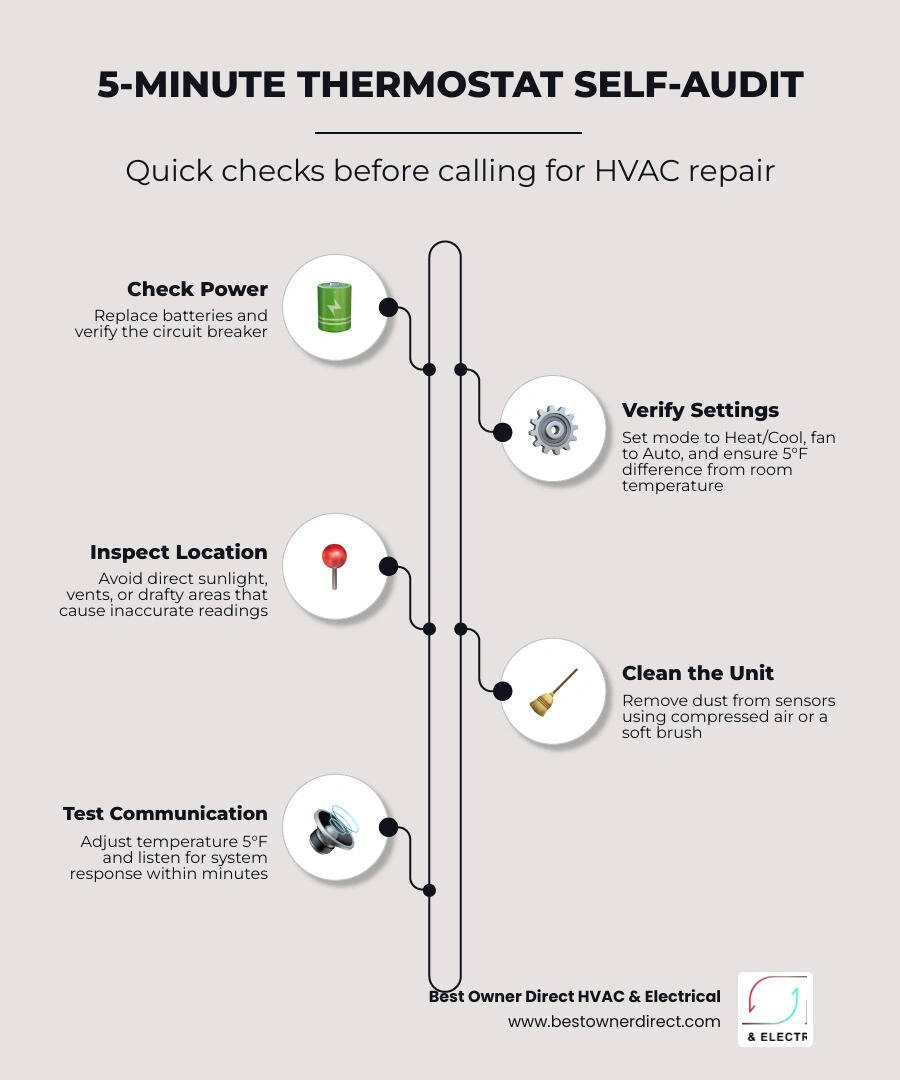
Here's a quick overview of how to check your thermostat before calling for repair:
- Check the power - Replace batteries and verify the circuit breaker hasn't tripped
- Verify the settings - Confirm the mode (Heat/Cool), fan setting (Auto), and that the set temperature is at least 5°F different from the current room temperature
- Inspect the location - Make sure the thermostat isn't in direct sunlight, near a vent, or in a drafty area
- Clean the unit - Gently remove dust from internal sensors with compressed air or a soft brush
- Test system communication - Set the temperature 5°F higher or lower and listen for a click or the system to respond within a few minutes
If none of these steps restore normal operation, it may be time to call a licensed technician.
How to check your thermostat before calling for repair terms at a glance:
- ac circuit breaker keeps tripping what it means
- ac troubleshooting tips before calling a professional
Common Signs Your Thermostat is Malfunctioning
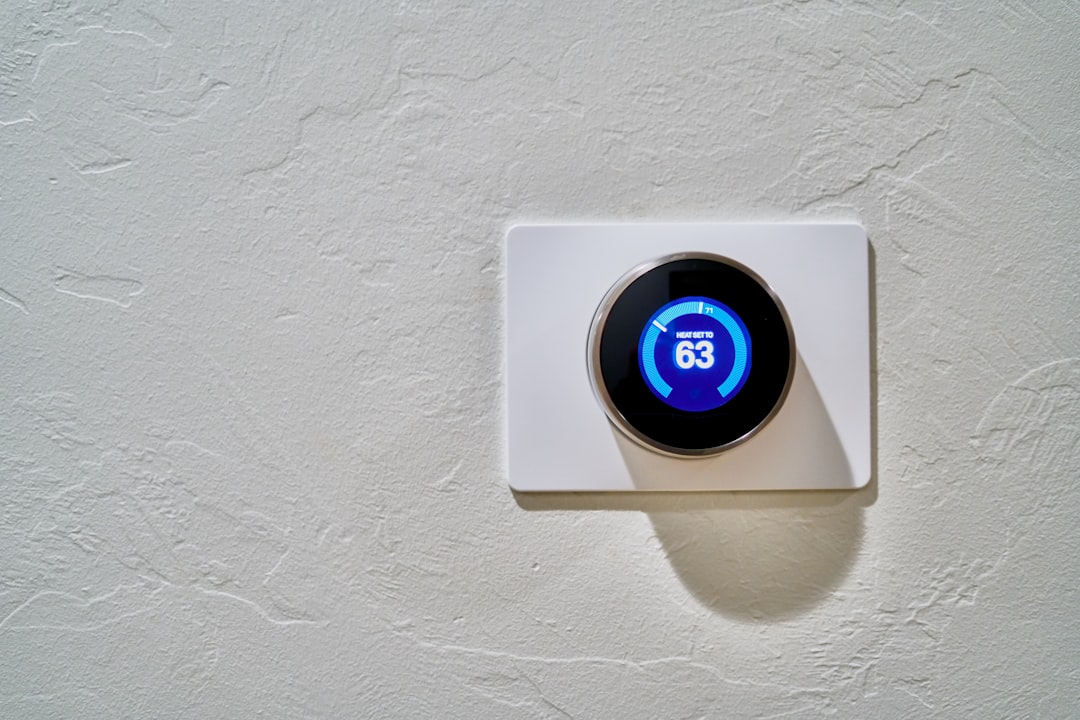
Before we dive into the specific diagnostic tests, it helps to understand what a misbehaving thermostat looks like. Sometimes, the signs are subtle, like a slight temperature drift that slowly creeps up over several months. Other times, the symptoms are sudden and dramatic, leaving your home feeling like a freezer in the middle of winter or a sauna during a humid Oregon summer.
Here are the most common warning signs that your thermostat is experiencing issues:
- The Blank or Flickering Screen: If your digital display has gone completely dark, or if it flickers when you try to change settings, the unit is not receiving proper power. This is one of the most common issues homeowners face, and it often points to battery failure or a lack of low-voltage power from your heating and cooling system.
- Short Cycling: This occurs when your furnace or air conditioner turns on and off rapidly, running for only a couple of minutes at a time rather than completing a full 10-to-15-minute cycle. When a thermostat misreads the ambient temperature, it may signal the system to shut down prematurely. This puts massive wear and tear on your compressor and heat exchanger, acting as a true "compressor killer."
- Inconsistent Temperatures and Room Swings: Do you find yourself constantly adjusting the settings because one room feels drafty while another is boiling? If your thermostat is struggling with sensor drift, it cannot maintain a stable, comfortable climate.
- The System Won't Turn On or Off: If you set your temperature to a comfortable level and absolutely nothing happens, or if your system runs continuously without ever shutting down, the communication link between your thermostat and your HVAC equipment has broken down.
- Relay Clicks but No Action: If you stand near your thermostat, adjust the temperature, hear a distinct "click" from the internal relay, but the heating or cooling system fails to turn on, the issue could be a wiring break or an equipment safety lockout.
Understanding these symptoms is the first step in diagnosing the root cause. For a deeper look at how these control center errors interact with your air conditioner and heating systems, check out our guide on the Problems of AC and Thermostat.
Thermostat vs. HVAC System Failures
A challenge for homeowners in areas like Hillsboro, Beaverton, or Portland is determining whether the problem lies within the thermostat itself or if the primary heating and cooling units are actually broken. It is incredibly frustrating to pay for a diagnostic visit only to find out that a simple safety switch or a dirty filter was the true culprit.
Before assuming your thermostat has kicked the bucket, we must rule out basic HVAC system blockages and safety shutdowns:
- The Clogged Air Filter: A heavily restricted air filter limits airflow through your system. This can cause your furnace to overheat and trigger a safety limit switch, or cause your AC evaporator coils to freeze. This behavior mimics a malfunctioning thermostat because the system will suddenly shut down or refuse to run. Regularly replacing your air filter can lower energy use by 5% to 15% and prevent these confusing lockouts.
- The Blower Door Safety Switch: If you recently changed your furnace filter or opened the indoor cabinet, the blower compartment door might not be fully closed. Most modern furnaces feature a safety switch that completely cuts off 24V power to the system—including the thermostat—if this panel is even slightly loose. If your thermostat screen is blank and won't respond, double-check that this door is completely flush and latched.
- The Condensate Float Switch: During the cooling season, your air conditioner removes moisture from the air. If the condensate drain line becomes clogged, water backs up into a safety pan. A float switch will trip, cutting power to the thermostat or outdoor unit to prevent water damage.
By ruling out these external factors first, you can narrow down the issue to the control unit on your wall. For more detailed tips on what to inspect when your air conditioner refuses to kick on, read our article on AC Not Cooling Properly: What to Check First.
How to Check Your Thermostat Before Calling for Repair: Step-by-Step
Now that you know the symptoms, let's walk through a systematic step-by-step audit. By following this sequence, you can safely eliminate power issues, software glitches, and physical blockages before calling in the professionals.
- Step 1: Inspect the Power Supply and Batteries: If you have a digital or smart thermostat, pull the faceplate off the wall gently. Check the battery compartment. Many homeowners assume that because their display is lit, the batteries are fine. However, low batteries may still power the LCD screen while lacking the voltage required to send a wireless or wired signal to your furnace. Replace them with fresh, high-quality alkaline batteries (avoid rechargeable ones, as they drop voltage quickly).
- Step 2: Check the Circuit Breaker: Head to your home's main electrical panel. Look for breakers labeled "HVAC," "Furnace," "Air Handler," or "AC." Even if a breaker doesn't look tripped, flip it completely to the "Off" position and then firmly back to "On."
- Step 3: Perform a 15-Minute Power Cycle: Just like a computer or smartphone, modern digital and smart thermostats can experience software freezes. To perform a hard reboot, remove the thermostat faceplate, take out the batteries, and flip the HVAC circuit breaker off. Leave everything powered down for 15 minutes. This allows the internal capacitors to drain completely, resetting the processor. Reinstall the batteries, snap the plate back on, turn the breaker back on, and see if the system reboots normally.
These quick power checks solve an astonishing number of "broken" system complaints. If you want to expand your DIY diagnostic skills even further, take a look at our comprehensive guide on How to Troubleshoot Your AC Like a Pro.
How to Check Your Thermostat Before Calling for Repair: Verifying Settings
It might sound overly simple, but human error is a leading cause of unnecessary service calls. A family member might have bumped the wall plate, or an automated program might be overriding your manual adjustments.
- The 5-Degree Rule: To force your thermostat to send a clear signal to your heating or cooling system, you must create a significant temperature differential. If you want heating, set the thermostat to "Heat" and raise the target temperature at least 5°F above the current room temperature. If you want cooling, set it to "Cool" and lower the target by 5°F. Wait up to five minutes, as most modern thermostats have built-in compressor delay protections to prevent rapid short cycling.
- Verify the System Mode: Ensure your thermostat is firmly set to "Heat" or "Cool." If it is set to "Off" or "Fan Only," your system will not condition the air. If your thermostat has an "Auto" mode that switches between heating and cooling automatically, try switching it to a dedicated manual mode to see if the system responds.
- Check the Fan Setting: Is your HVAC fan running constantly without delivering warm or cool air? Check if your fan setting is set to "On" instead of "Auto." The "On" setting keeps the indoor blower running 24/7, which can make your home feel drafty and spike your energy bills. Switching it back to "Auto" ensures the fan only runs when the system is actively heating or cooling.
- Clear Temporary and Permanent Holds: If your programmable or smart thermostat is refusing to maintain the temperature you set, check the display for a "Hold" or "Schedule" indicator. An old program or an accidental temporary hold can easily override your manual inputs, leading you to believe the thermostat is broken.
How to Check Your Thermostat Before Calling for Repair: Cleaning and Location
Physical environment and cleanliness play a massive role in how accurately your thermostat reads the temperature of your home.
- Banish the Dust Bunnies: Over time, dust, pet hair, and spiderwebs can accumulate inside your thermostat cover. In older mechanical bimetal or mercury-switch thermostats, this dust acts as an insulator, preventing the internal coils from expanding and contracting properly. For digital models, dust can coat the sensitive thermistor sensor. Gently pop off the thermostat cover and use a can of compressed air or a soft-bristled brush to blow away any debris. Never use wet cloths or harsh chemical cleaners on the internal circuitry.
- Address Location Bias: Is your thermostat mounted on an exterior wall, directly across from a drafty window, or right under a supply vent? If so, it is suffering from location bias. A thermostat placed in direct afternoon sunlight will read the room as much warmer than it actually is, causing your air conditioner to run constantly. Conversely, a thermostat located near an entry door will register cold drafts, keeping your furnace running in overdrive.
- Ensure Level Mounting: If you have an older mechanical thermostat that uses a mercury switch (a small glass bulb filled with liquid mercury), the unit must be perfectly level to work. If the thermostat is tilted even slightly on the wall, the mercury will not tilt across the contacts at the correct temperature, leading to severe calibration errors. Use a small bubble level to ensure the wall plate is perfectly straight.
Advanced Diagnostics: Wiring, Calibration, and Thermostat Types
For homeowners who feel comfortable taking a closer look behind the screen, advanced diagnostics can help isolate wiring issues. Before performing any of the steps below, always turn off the power to your HVAC system at the main circuit breaker box to avoid shorting out your equipment's low-voltage transformer.
When you remove your thermostat faceplate, you will see several small, color-coded wires connected to screw terminals. While colors can occasionally vary depending on who installed the system, the industry standard terminal designations are:
- R (or Rc/Rh): 24V power supply from the transformer.
- W: Heating control.
- Y: Cooling control (compressor).
- G: Indoor fan control.
- C: The "Common" wire, which provides a continuous 24V return path to power digital displays and Wi-Fi connections.
If you own a digital multimeter, you can test for proper power. Set your meter to AC Volts and place one probe on the R terminal and the other on the C terminal. You should read a steady voltage between 20V and 30V AC. If you get a reading of zero, your system is not sending power to the thermostat, which points to a blown low-voltage fuse on the furnace control board, a tripped safety switch, or a failed transformer.
Another classic diagnostic is the R and W Test (for heating) or the R and Y Test (for cooling). With the power off, you can carefully disconnect the R and W wires and gently twist them together (or use a jumper wire to bridge the terminals). Turn the circuit breaker back on. If your furnace starts up immediately and runs normally, you have confirmed that the furnace itself works perfectly, meaning the thermostat or its internal relays are faulty.
To help you understand the differences in troubleshooting and maintenance across different generations of controls, we have put together this comparison table:
| Thermostat Type | Expected Lifespan | Common Failure Modes | Key Diagnostic Step |
|---|---|---|---|
| Mechanical (Bimetal/Mercury) | 15–25 Years | Dust buildup, unlevel mounting, loose calibration spiral | Clean internal contact points with a soft brush; check level on the wall |
| Digital (Non-Wi-Fi) | 10–15 Years | Dead batteries, corroded terminal contacts, sensor drift | Replace batteries annually; perform a 15-minute power cycle reset |
| Smart (Wi-Fi Connected) | 8–12 Years | Firmware glitches, Wi-Fi dropouts, lack of a C-wire | Verify C-wire voltage; check for firmware updates via the companion app |
If you are dealing with persistent wiring issues or want more tips on how to prepare before calling in our team, read our list of AC Troubleshooting Tips Before Calling a Professional.
Frequently Asked Questions about Thermostat Troubleshooting
How often should I replace my thermostat batteries?
We strongly recommend replacing your thermostat batteries once a year. A great habit to build is changing them every autumn at the same time you replace the batteries in your home's smoke and carbon monoxide detectors.
Always use high-quality, name-brand alkaline or lithium batteries rather than rechargeable ones. Rechargeable batteries tend to lose their charge quickly and can cause sudden signal loss, leaving your home without heating or cooling unexpectedly.
How do I know if the problem is my thermostat or my furnace?
The easiest way to isolate the issue is to perform the Fan Only Test. Walk over to your thermostat and switch the fan setting from "Auto" to "On."
- If the indoor blower fan kicks on and starts blowing air through your vents, your thermostat is successfully communicating with your indoor unit, and the furnace has active low-voltage power. If the fan works but switching to "Heat" does nothing, the issue is likely a safety lockout, ignition failure, or gas valve problem within the furnace itself.
- If absolutely nothing happens when you switch the fan to "On," the issue is likely a lack of power to the entire system (such as a tripped breaker, a loose blower door switch, or a blown fuse on the furnace control board).
Can a dirty thermostat affect my energy bills?
Yes, absolutely. Over time, dust and debris can settle on your thermostat's internal temperature sensors, acting as an insulating blanket. This causes "calibration drift," where the thermostat believes the room is cooler or warmer than it actually is.
If your sensor drifts by just 2°F to 3°F, your heating or cooling system may run hours longer than necessary each week. This unnecessary runtime can easily add 5% to 10% to your monthly energy bills. Keeping your thermostat clean and properly calibrated is one of the easiest ways to protect your wallet.
Conclusion
Taking a few minutes to learn how to check your thermostat before calling for repair can save you from a needless service visit and get your home back to a comfortable temperature in no time. Whether it is as simple as popping in fresh batteries, resetting a tripped breaker, or wiping away a few dust bunnies, many thermostat issues are incredibly DIY-friendly.
However, if you have gone through these steps—performing a power cycle, verifying your settings, cleaning the unit, and checking the wiring—and your home is still too hot or too cold, it is time to bring in the experts. Complex issues like failed control boards, damaged low-voltage wiring, or system safety lockouts require the tools and training of a licensed professional.
At Best Owner Direct HVAC & Electrical, we are proud to serve our neighbors throughout the Portland metro area, including Cornelius, Hillsboro, Beaverton, Oregon City, and surrounding communities. We focus on reliable, honest, and energy-efficient solutions to keep your home safe and comfortable all year round.
Before our technician arrives, it can be helpful to write down a few notes about your system's behavior. For ideas on what to discuss during our visit, check out our guide on Questions to Ask Your HVAC Technician.
Ready to get your heating or cooling system back in perfect working order? Schedule your professional AC service in Portland today! Our friendly, licensed technicians are here to provide the top-tier care and clear, transparent service you deserve.


Tankless vs. Traditional Hot Water Heaters for Fall UpgradesChoosing a new water heater isn't a simple appliance swap. Before winter hits, find out how your home's existing electrical panel and gas lines dictate your best replacement option.
Read more
How to Prevent Rain Damage to Your Outdoor Mini Split Unit Fast by Using a CoverLearn how moisture and rain affect your outdoor mini split unit and protect it from damage with proper covers, drainage, and seasonal maintenance tips.
Read more
Sealing Leaky Ductwork Before the Winter Cold Sets InYour furnace is only as effective as the ducts delivering its warmth. If you're tired of drafty rooms, securing your system's thermal envelope is the first step to true winter comfort.
Read more